Payout Hold / Payout not received/Delayed Payout
SOP to be followed when Payout has not received his/her payout. Open Provider ID > Logs > Payout
EPC |
Payout is generated on every Tuesday, Thursday and Saturday |
Payout Remarks |
Steps to be followed |
If a partner come across remarks mentioned below |
1. Kindly ask Partner to enter new Banking Details By Visiting, Menu >>Financial Details>> Change bank details, once Bank Details are Entered and the Status is Approved then in the Next Payout Partner should receive their Payout. These tickets should be resolved . IF the payment is Payment has been bounced than we will raise on slack and tag Sahiba azad |
"Payment Not hit in bank" |
1. Associate to check profile>logs>payout dashboard to check the status of the payout entry. If Remarks: 'Payment not hit Bank". then go to step 2 |
"In_process" |
If Partner is asking for same day Payout then Associate should ask Partner to wait till day end for the payout to get deposited. |
"shows as blocked" |
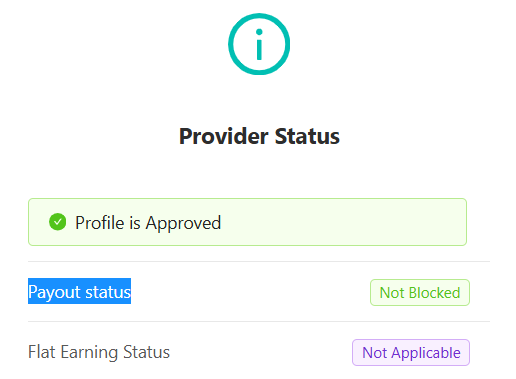
If a partner raises a concern about not receiving a payout, we need to check the "Payout Status" in the partner's profile. If it shows as blocked, we must raise a concern on Slack and tag karuna jain and sahiba azad. Additionally, loop in the category manager and keep the ticket pending for 48 hours. |
partner has not received the payment for a specific request and payout history is not generated |
Please ask your TL to file bug and tag Giri Sai Nath Reddy and Vineet Oli on that thread. |
When will partner get EPC Amazon bookings |
Payment would be weekly (from Wednesday to Wednesday), and the partner would receive payment in the form of an incentive. |
Success |
Inform partner to wait for EOD and will close the ticket |
When will partner get EPC Flipkart bookings |
Payment would be weekly (from Wednesday to Wednesday), and the partner would receive payment in the form of an incentive. |
Tagging: 1.2 Money- payout issue > Delayed Payout | |